Most people discover the same thing: they search for a digital planner, and every recommendation assumes they own an iPad and Apple Pencil. GoodNotes, Noteshelf, Goodnotes alternatives — nearly all of them are built for one device ecosystem that costs $600–$1,200 to enter. This post is for everyone else. Windows laptop users. Mac users who skipped the iPad. Android tablet owners. Anyone with a browser.
Do You Really Need an iPad to Use a Digital Planner?
No. The assumption that digital planning requires an iPad comes from how the category was marketed, not from any technical requirement.
iPad-centric apps like GoodNotes build their core experience around the Apple Pencil for handwriting — that use case IS genuinely iPad-only. Freehand note-taking, annotating PDFs with a stylus, recreating the feel of a physical notebook with a pressure-sensitive pen — all of that requires Apple hardware to work properly. GoodNotes confirms iOS and iPadOS as its supported platforms.
But typed, structured planning — budgets, checklists, vendor tracking, scheduling, guest lists — has no technical reason to require Apple hardware. A browser can run all of it on any operating system. The iPad lock-in is a marketing accident that followed handwriting apps into a broader category where it has never belonged.
“You do not need an iPad to use a digital planner. Browser-based planners run on any device with Chrome, Safari, Firefox, or Edge — including Windows laptops, Android tablets, and Chromebooks.”
What Actually Makes a Digital Planner Work on Any Device?
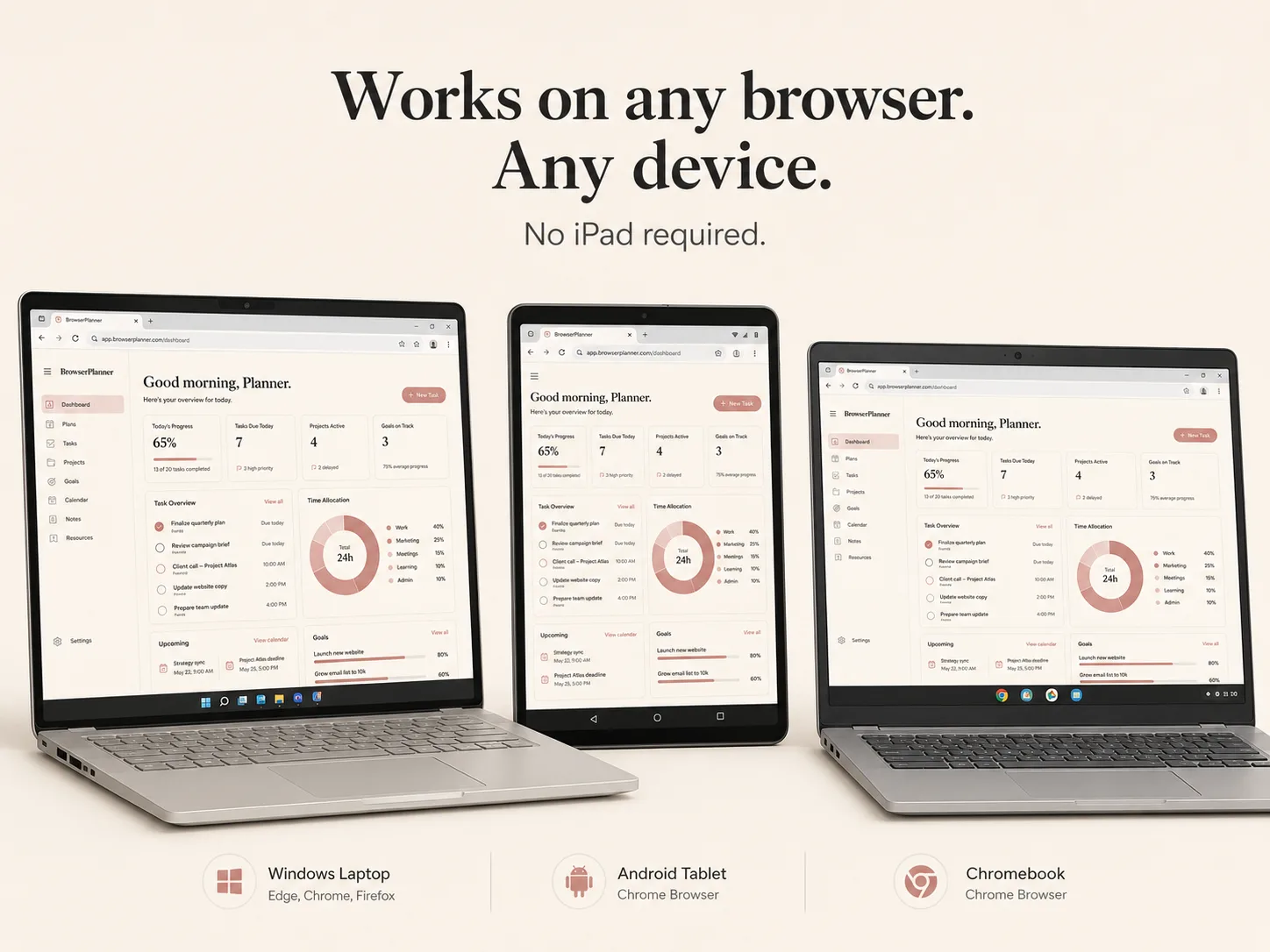
Three things: it runs in a browser, it saves data locally, and it does not require installation.
Runs in a browser. Any modern browser — Chrome, Safari, Firefox, Edge — on any operating system supports the full HTML and JavaScript stack that powers browser-based planners. There is no App Store approval process. No Play Store compatibility check. No platform-specific build. If your device has a modern browser, it runs.
Saves data locally. Browser-based planners use IndexedDB — the browser’s built-in database that has been supported across all major browsers since 2015. Your planning data stays on your device. No cloud account is required, no server processes your information, no subscription is needed to access your own records. Your data is yours, stored where you put it.
No installation. Open the file, start planning. There is no download manager, no system permissions dialog, no installer that needs administrator access. A browser-based planner works the same way on a $300 Chromebook as it does on a MacBook Pro. The barrier to starting is as close to zero as any software can get.
The Best Digital Planners That Work Without an iPad
Here is how the main options compare for people planning on a non-Apple or non-iPad device.
| Tool | Works On | Price | Best For | Needs iPad? |
|---|---|---|---|---|
| GoodNotes 6 | iPad, iPhone (iOS only) | $17.99/year | Handwritten notes | Yes — Apple Pencil for full functionality |
| Noteshelf 3 | iPad primary, limited Android | $11.99/year | Handwritten notes + typed | Effectively yes |
| Notion | All devices | Free–$16/month | Complex linked databases | No — but steep learning curve |
| Google Sheets | All devices | Free | Custom budgets and data tracking | No — but requires manual setup, no planning structure built in |
| BrowserPlanner Wedding Budget Tracker | Any browser, any device | $12.99 one-time | Wedding budget, vendor tracking, guest list | No — works on Windows, Mac, Android, Chromebook |
GoodNotes and Noteshelf are genuinely excellent for handwritten note-taking on iPad — that use case is real and well-served. This comparison is specifically for people who want structured, typed planning: budgets, checklists, vendor management, timelines. That is where browser-based tools have no hardware dependency at all.
Which No-iPad Planner Is Right for You?
The two free options in the table — Notion and Google Sheets — come with trade-offs that matter for anyone trying to do serious planning rather than casual note capture.
Notion is powerful but it is not a planner. It is a blank canvas that requires building your own planning system from scratch. For most people planning a wedding or managing a complex project, that is weeks of template-hunting, database setup, and configuration before any actual planning begins. Notion rewards power users who already know exactly what structure they want and have the time to build it. For everyone else, the blank-page problem is real.
Google Sheets is genuinely useful for data — formulas, custom columns, budget maths — but it has no planning structure built in. There are no due-date alerts, no checklists, no visual dashboards, no vendor payment timelines. Every one of those features has to be built by hand before any actual planning begins. Most people who start with a wedding spreadsheet either inherit a generic one from Pinterest that does not match their situation, or spend hours building one that still lacks the interactivity they wanted. Sheets is a data tool, not a planning tool.
The BrowserPlanner Wedding Budget Tracker is a browser-based interactive web app — a single HTML file that opens directly in Chrome, Safari, Firefox, or Edge. No installation. No account. No subscription. It runs the same on a Windows laptop, a MacBook, an Android tablet, or a Chromebook. Data is stored in the browser’s IndexedDB — it stays on your device and never leaves. Features include a live budget dashboard with ring chart, vendor payment tracker with due-date alerts, wedding budget tracker with named guest list, 50-task checklist, seating chart, music planner, photo shot list, gift tracker, and a day-of timeline — all in one file.
It is specifically built for engaged couples planning a wedding without wanting to juggle a spreadsheet or learn a complex tool. But the device-agnostic format applies to anyone. If you are on Windows or Android and want a planner that simply works without an ecosystem requirement, this is the category to look at. For a full breakdown of device-compatible options, see digital planner for laptop and best digital planner.
How to Start Using a Browser-Based Planner Today
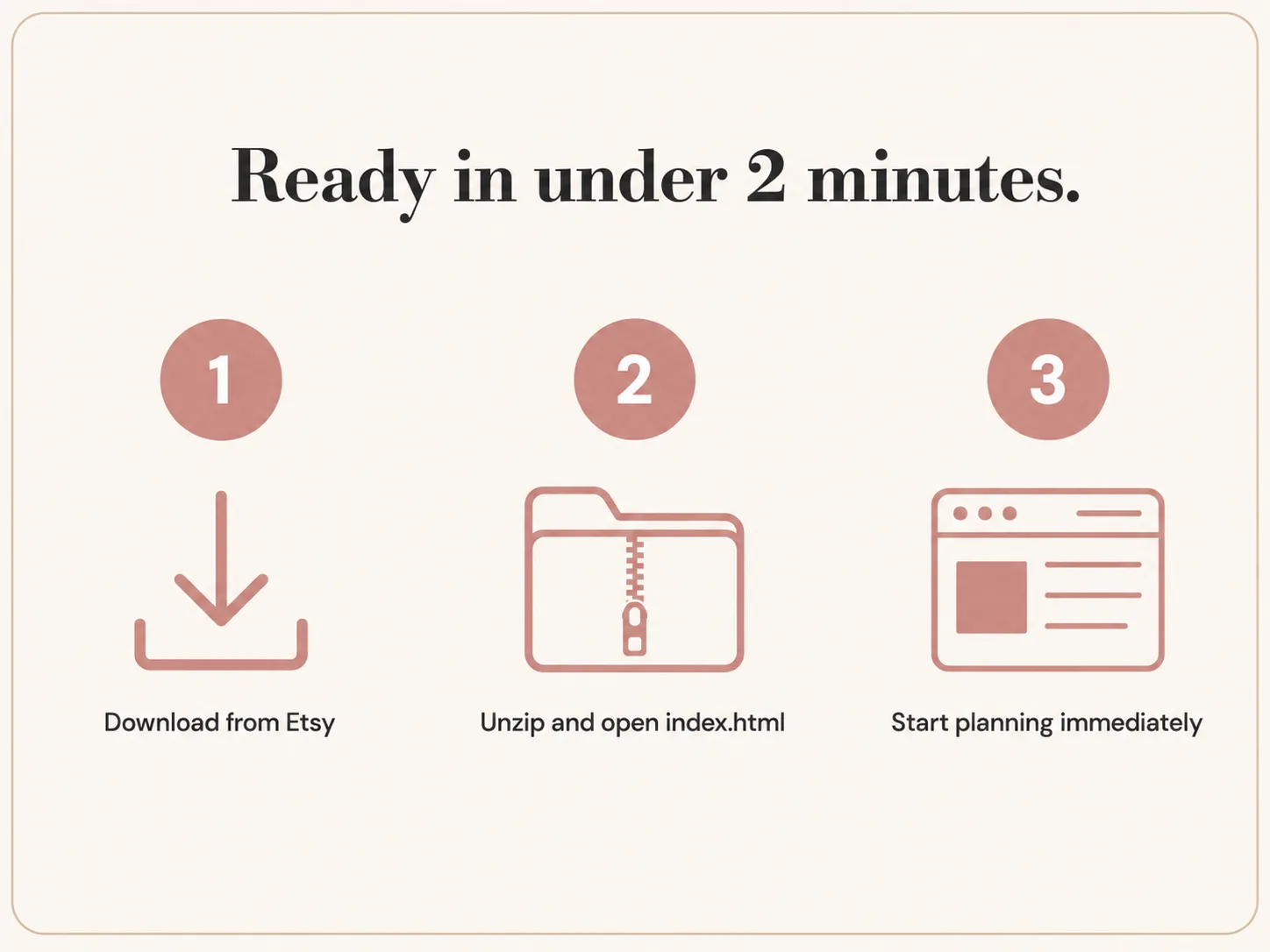
Getting started takes under two minutes.
- Download the file from Etsy
- Unzip the folder and double-click
index.html— it opens in your default browser immediately - Complete the 30-second setup form (wedding date, partner names, total budget) and start planning
No installation, no account, no learning curve. Works on the device you already own.
For free wedding planning resources and updates when new planners launch, register at browserplanner.com/updates.
Frequently Asked Questions
Do I need an iPad to use a digital planner?
No. Browser-based digital planners run on any device with a modern web browser — Windows laptops, Mac computers, Android tablets, Chromebooks, and iPhones. The iPad requirement applies specifically to handwriting apps like GoodNotes that use the Apple Pencil, not to all digital planning tools.
What is the best digital planner for Windows laptop?
Browser-based planners are the best option for Windows users. They open directly in Chrome, Firefox, or Edge with no installation required. The BrowserPlanner Wedding Budget Tracker is a single HTML file that works on any Windows device with full budget tracking, vendor management, and guest list features.
Can I use a digital planner on Android?
Yes. Browser-based planners work on Android phones and tablets through Chrome. Features including budget dashboards, checklists, and vendor tracking all function on Android without any app installation.
Is GoodNotes only for iPad?
GoodNotes is designed primarily for iPad with Apple Pencil for handwritten note-taking, which is its core use case. It has limited cross-platform support but is not optimised for non-Apple devices and requires iOS or iPadOS for full functionality.
What digital planners work on Chromebook?
Browser-based planners are ideal for Chromebook users since Chrome is the native browser. Any planner built as an HTML file or web app will run natively on a Chromebook without any compatibility issues or workarounds.
What is a browser-based planner?
A browser-based planner is an interactive web app — usually a single HTML file — that opens directly in a web browser without installation. It uses the browser’s built-in database (IndexedDB) to save your data locally on your device. It works offline, requires no account, and runs on any operating system that has a modern browser.
Digital planning does not require a $600 tablet. It requires a browser — something every device already has. If you have been putting off structured planning because you assumed it meant buying an iPad, the browser-based category is worth five minutes of your time.
Want free wedding planning resources?
Get the free wedding checklist and be first to know about new planning tools.
Get the free checklist →