Wedding Planning Web App — One-Time Download
Your entire wedding.
One private planner.
Budget, vendors, guests, seating, checklist, music, photos, gifts, and timeline — all in one browser-based app. No account, no iPad, no spreadsheet, no subscription.
One-time purchase. Works in Chrome, Safari, Firefox, and Edge. No installation.
Everything in one place
Dashboard
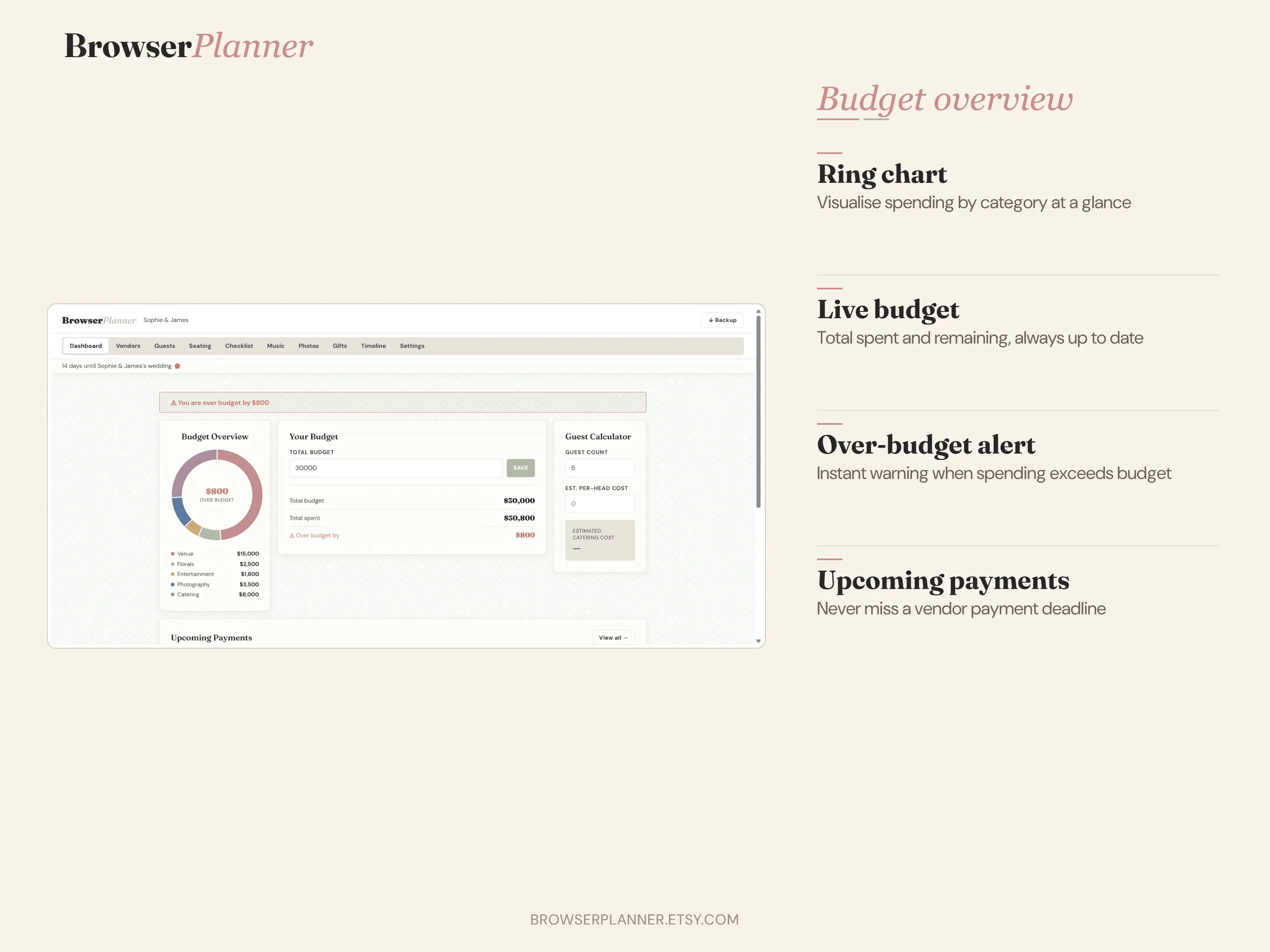
See your budget at a glance with a live ring chart showing total, spent, paid, and remaining in one view.
Vendors
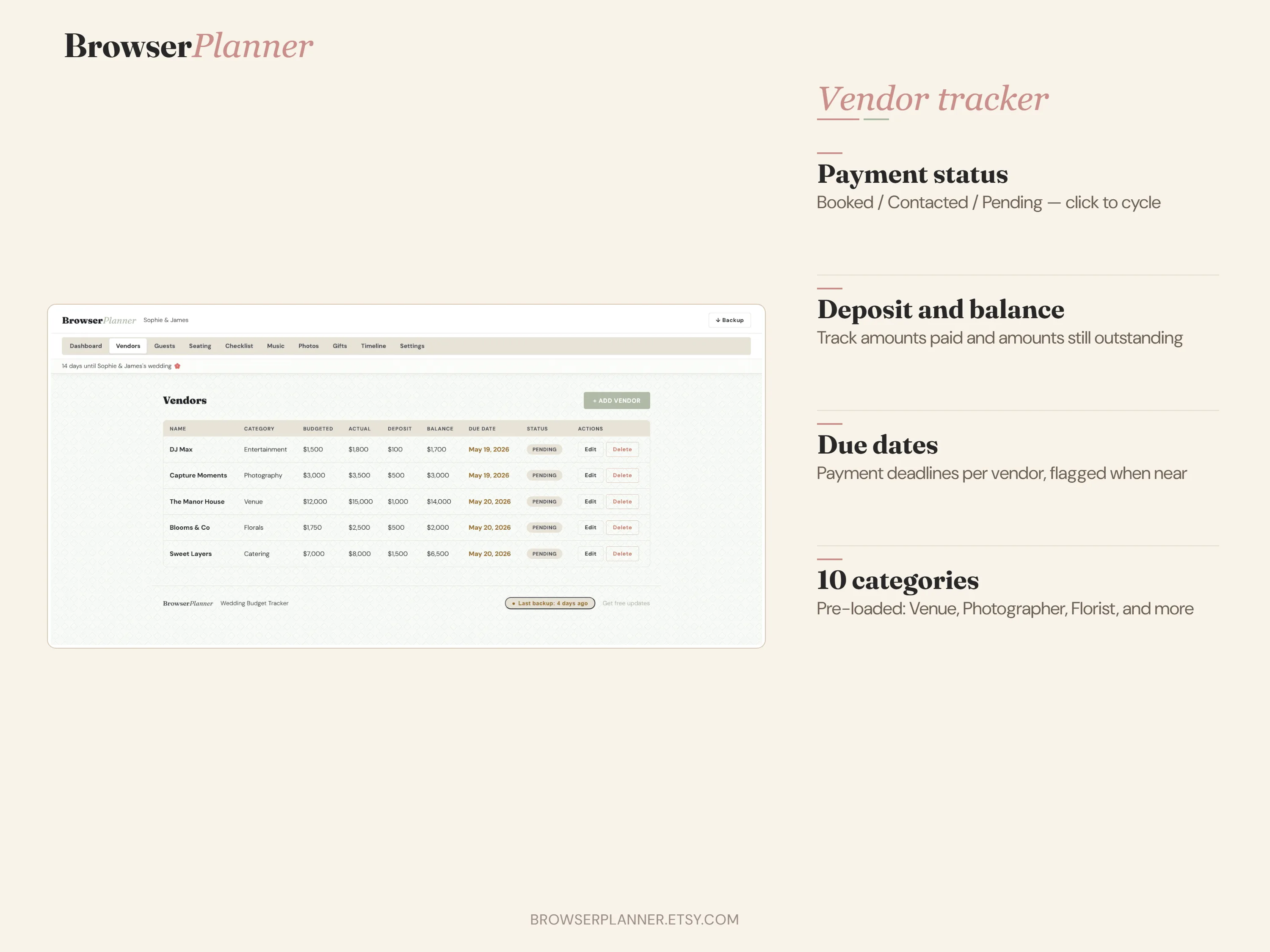
Track deposits, balances, due dates, and payment status for every vendor. Never miss a payment again.
Guests
Named guest list with RSVP status, meal choices, groups, dietary notes, and adult and child plus-ones.
Seating
Assign guests to named tables, manage capacity, and instantly see any unassigned guests.
Checklist
50 pre-filled tasks organised across every planning category from 12 months out to the week of.
Music
Plan every moment of the day — from processional to last dance — with an editable music planner.
Photos
38 pre-populated shots organised by moment. Customise and share with your photographer.
Gifts
Track every gift, donor, and thank-you note status. See at a glance what still needs a thank-you.
Timeline
22-entry day-of schedule, fully editable. Sort by time. Export to PDF to share with vendors and family.
Settings
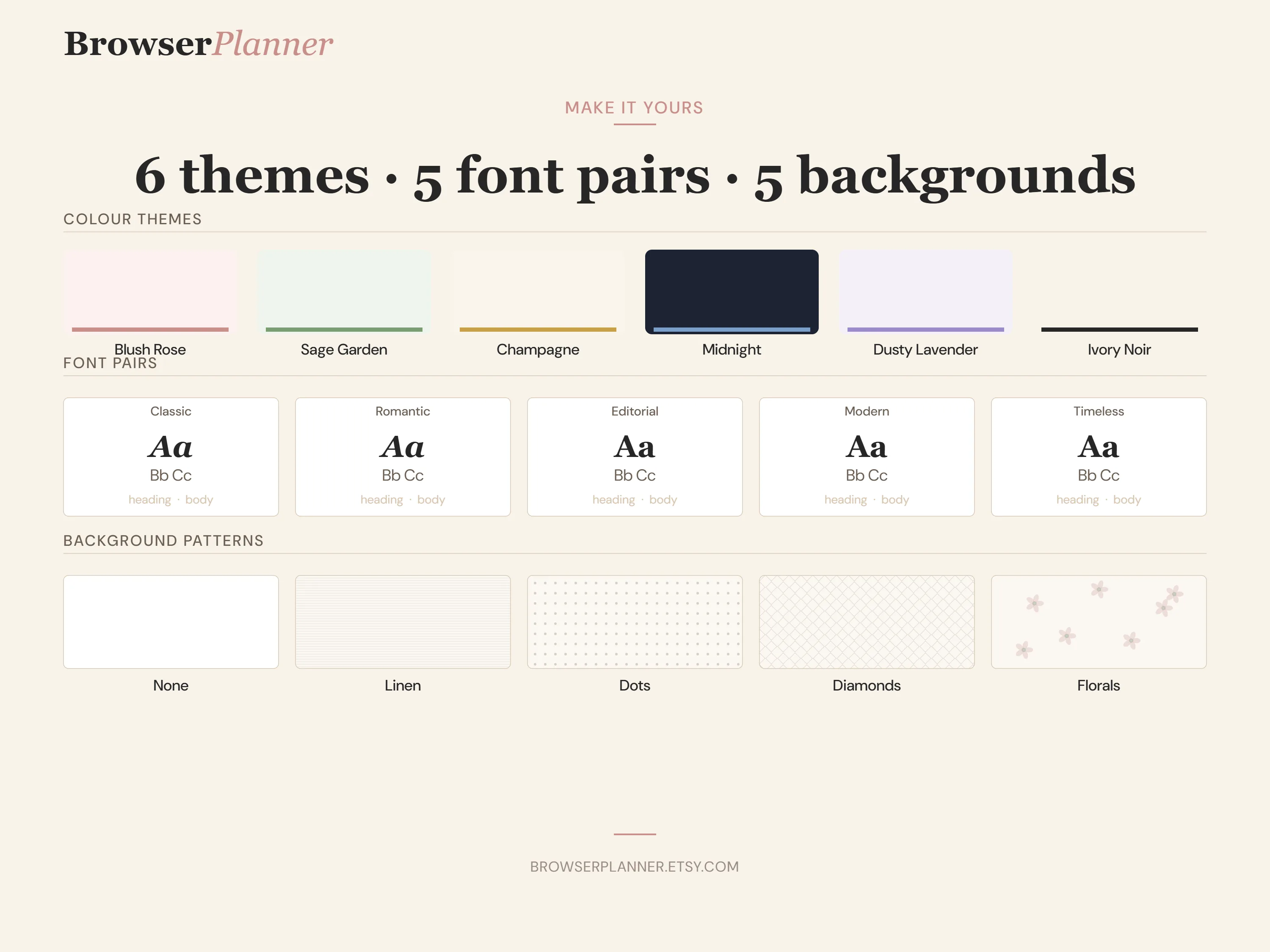
6 colour themes, 5 font pairs, and 5 background patterns — change the entire look in one click.
Share Plan
Planning together? Generate a read-only HTML snapshot of your entire plan to share with your partner, parents, or planner — they see everything without needing the app.
See it in action
How it works
Download once
Buy the planner and download a ZIP file. No account needed, no software to install.
Open in your browser
Unzip and open index.html in Chrome, Safari, Firefox, or Edge. Works on any device.
Start planning
Your budget, vendors, and guests save automatically. Your data never leaves your device.
Common questions
Does this work offline? +
The planner opens from a local file in your browser and saves all data to your device. Chart.js and jsPDF load from CDN on first open and cache permanently — after that, it works with no internet connection at all.
Where is my data stored? Is it private? +
All your data is stored only on your own device using IndexedDB — a private browser storage. Nothing is sent to any server. Only you can access it.
Can I use it on Windows, Mac, iPhone, and Android? +
Yes — it works in any modern browser on any device. Best experience is on a laptop or desktop. Mobile works well after initial setup.
Can I share my wedding plan with my partner or family? +
Yes. The "Share Read-Only View" feature generates a standalone HTML snapshot you can email or share — they can view everything without needing the app or an account.
What happens if I accidentally clear my browser or get a new computer? +
Use the "Download My Backup" button to save a JSON file of your entire plan. You can restore it on any device, any browser, at any time.
Is this a subscription? +
No. One-time purchase at $12.99. No account, no renewal, no monthly fee.
Ready to plan your wedding
without the spreadsheet?
One-time download. Works in any browser on any device. Your data stays private, always.
One-time purchase. Works in Chrome, Safari, Firefox, and Edge. No installation.